
Cara Menginstal Snoopza di Ponsel Samsung (Android 10)
Panduan instalasi langkah demi langkah lengkap
Daftar Isi
1. Instruksi Video
Tonton tutorial instalasi lengkap
2. Nonaktifkan Play Protect
Diperlukan untuk mengizinkan instalasi dari sumber tidak dikenal
1
Buka Google Play Store
2
Ketuk Menu button (tiga garis)
3
Pilih Play Protect
4
Ketuk Settings (roda gigi)
5
Nonaktifkan Scan apps dan konfirmasi
3. Unduh Snoopza
Dapatkan file instalasi
1
Buka Chrome browser
2
Kunjungi www.snoopza.com
3
Buat free account Anda
4
Unduh dari bagian Download app
5
Konfirmasi Allow from this source
4. Instal & Konfigurasi Snoopza
Lengkapi proses penyiapan
1
Terima legal terms dan lanjutkan
2
Aktifkan semua basic permissions
3
Aktifkan Accessibility service
4
Aktifkan Usage Access untuk Sync Manager
5
Izinkan Overlay Permission
6
Nonaktifkan notifications
7
Masukkan account credentials Anda
8
Pilih activities to monitor
9
Konfigurasi screenshot settings
10
Atur PIN code Anda
11
Selesaikan installation
Data akan muncul di akun Anda dalam 5-6 menit
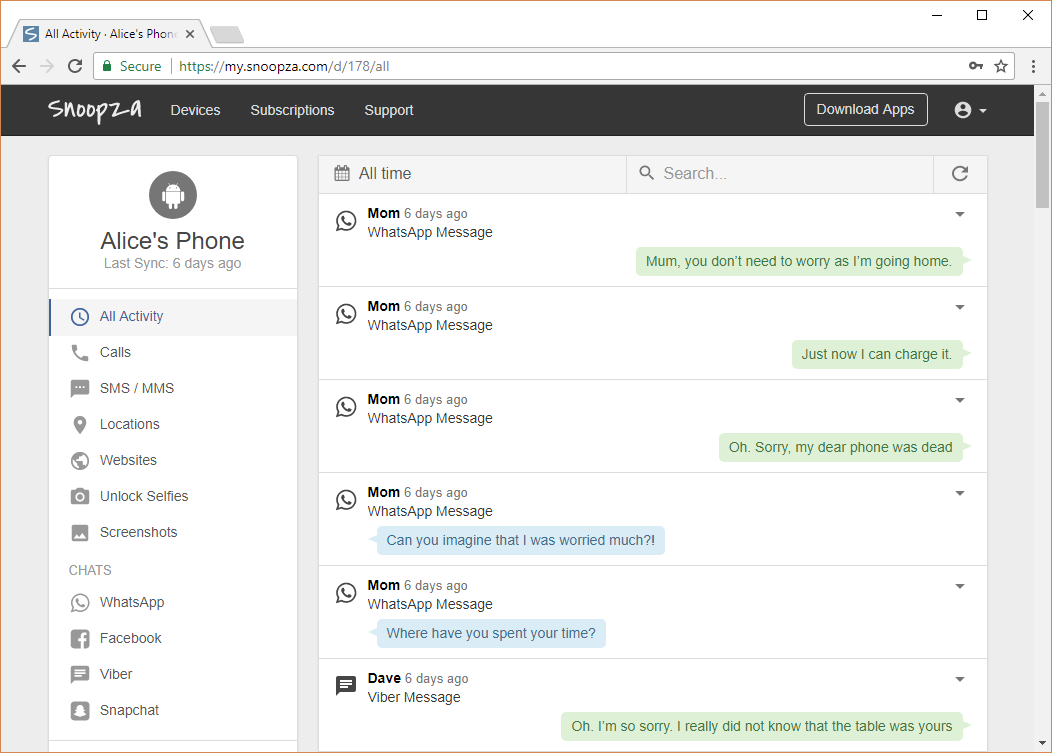
Pratinjau panel kontrol Snoopza
Butuh Bantuan?
Hubungi tim dukungan kami untuk bantuan
Keamanan Keluarga & Kontrol Orang Tua
Selalu Ada di Genggaman.
Aplikasi keamanan anak Android modern kami membantu Anda mengetahui lokasi real-time anak Anda, memberikan ketenangan pikiran dalam situasi apa pun.
Coba Gratis
Pembaruan terakhir:
Snoopza 6.5.84
Apr 13, 2026
New feature: AI Grok and New feature: AI Deepseek